DevQAExpert Solution Pvt. Ltd.

DevQAExpert Solution Pvt. Ltd.
FindMyLocator is a product conceived and built by DevQAExpert Solution Pvt. Ltd. It finds a unique locator for any element in a web page’s DOM in a single click, and it has grown into a toolkit for the rest of a tester’s day.
Playwright locators, a locator tester, a page object builder and AI test cases, alongside the tools testers already use every day.
Locators by role, label, placeholder or test id for the element you click, kept only when they find that element alone.
Paste CSS, XPath or a Playwright locator and see whether it finds nothing, one element or several, outlined on the page.
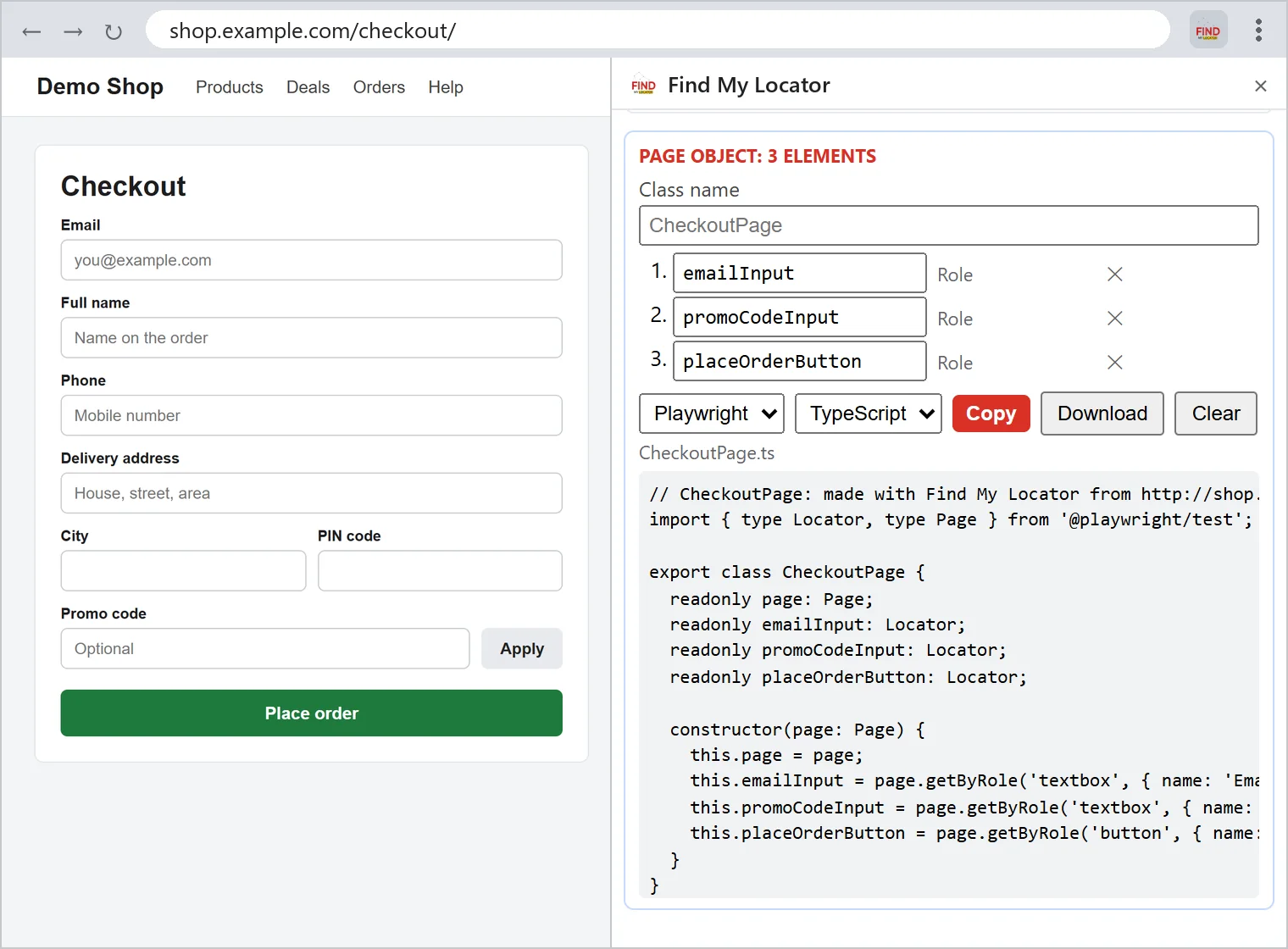
Collect up to 100 picked elements into one page object class for Playwright, Selenium or Cypress.
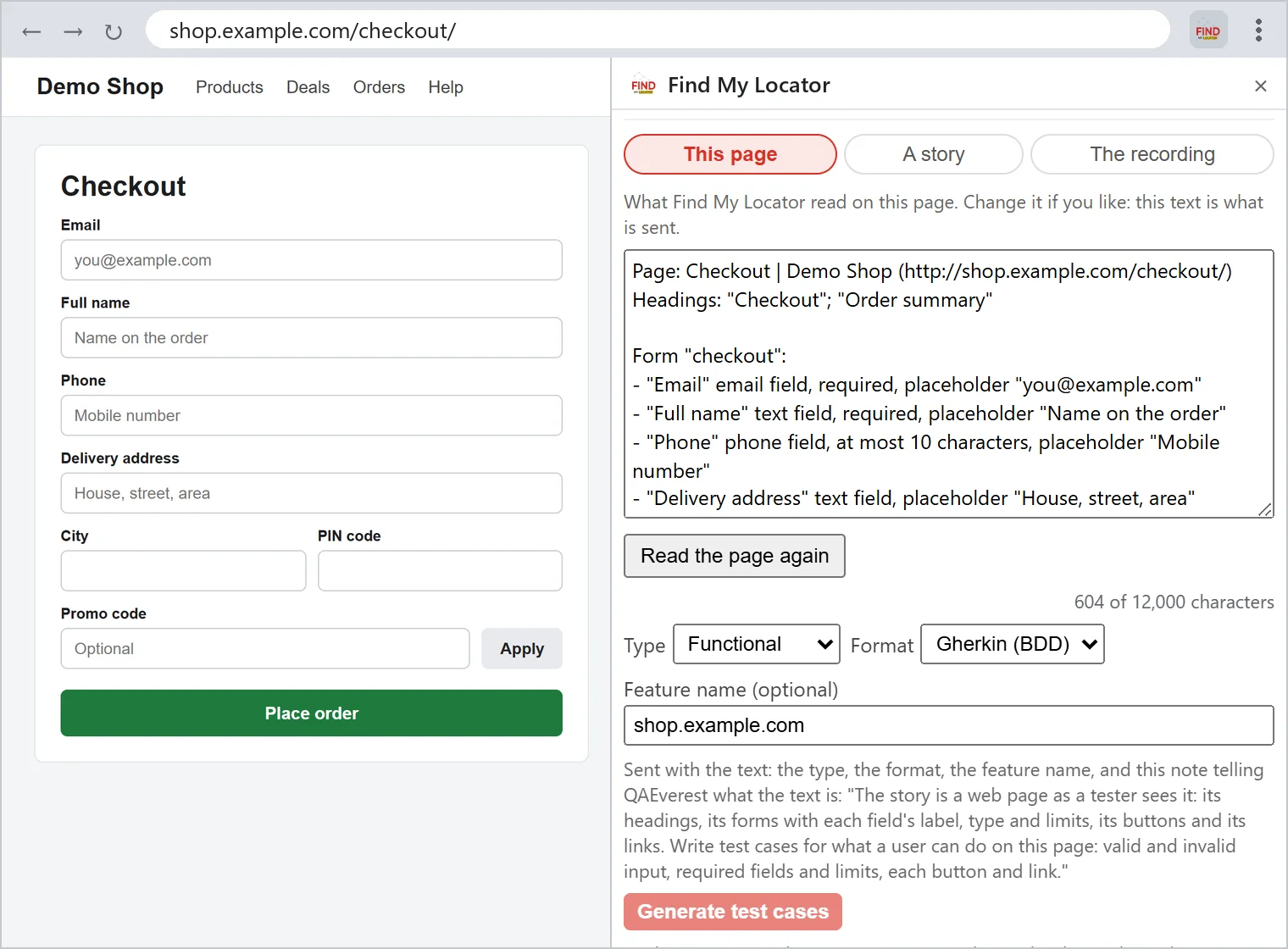
QAEverest writes test cases from the page you are on, a user story or your recording, in Gherkin or step by step.
When an id or class looks generated, such as mui-17, you are warned that it can change on the next page load or release.
Elements inside open shadow DOM are picked directly, with paths for Playwright, Selenium and Cypress.
Every locator row now has a Test button beside Copy, so you can check a locator on the page before using it.
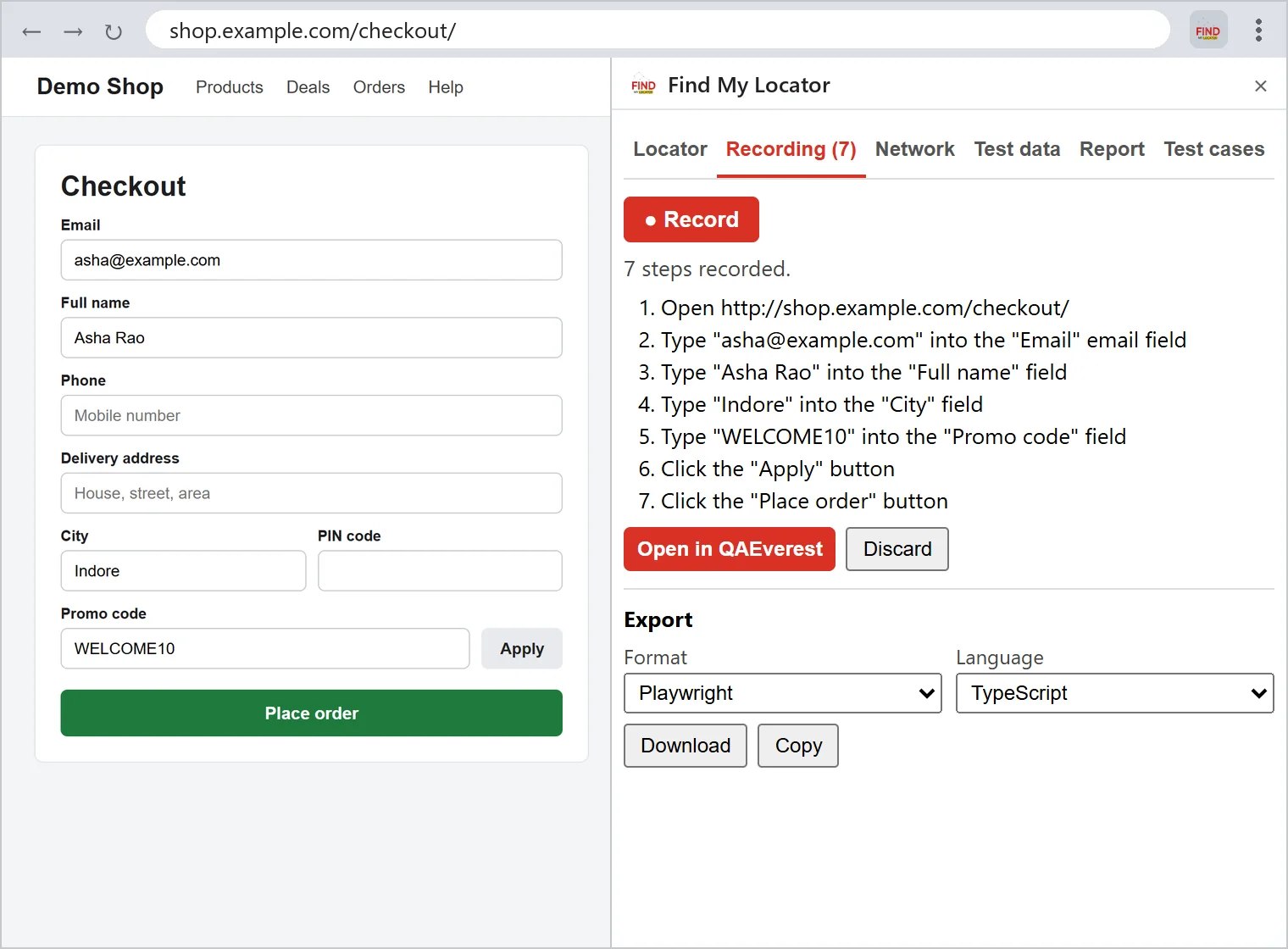
Each recorded step keeps a Playwright locator by role, label or test id where one exists, and the exported code uses it.
Six tabs, in the toolbar popup or in Chrome’s side panel. Jump to one:
Locator tab
data-test-id and the XPath and CSS use it first. Disabled elements work with right-click › Find My Locator.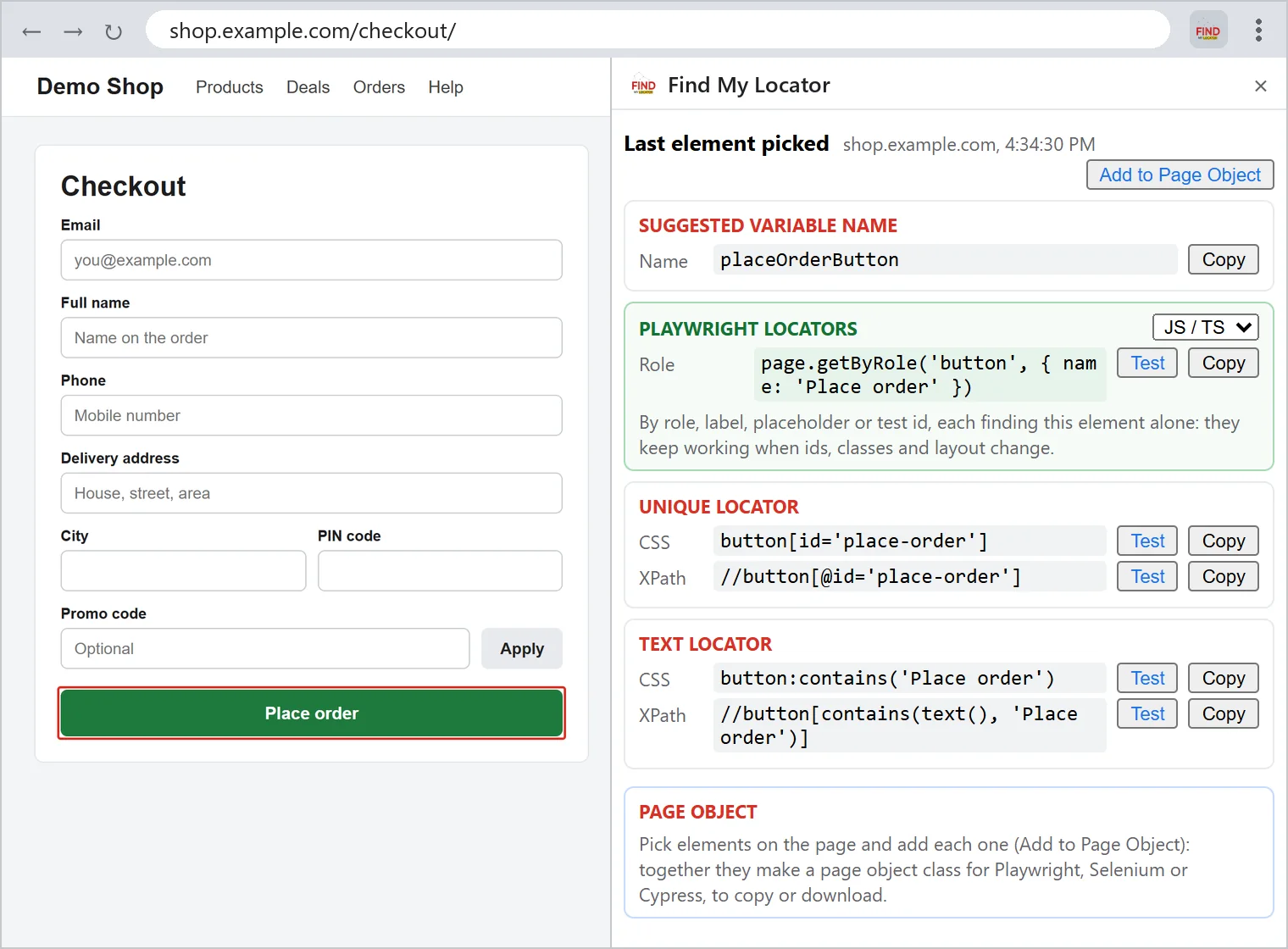
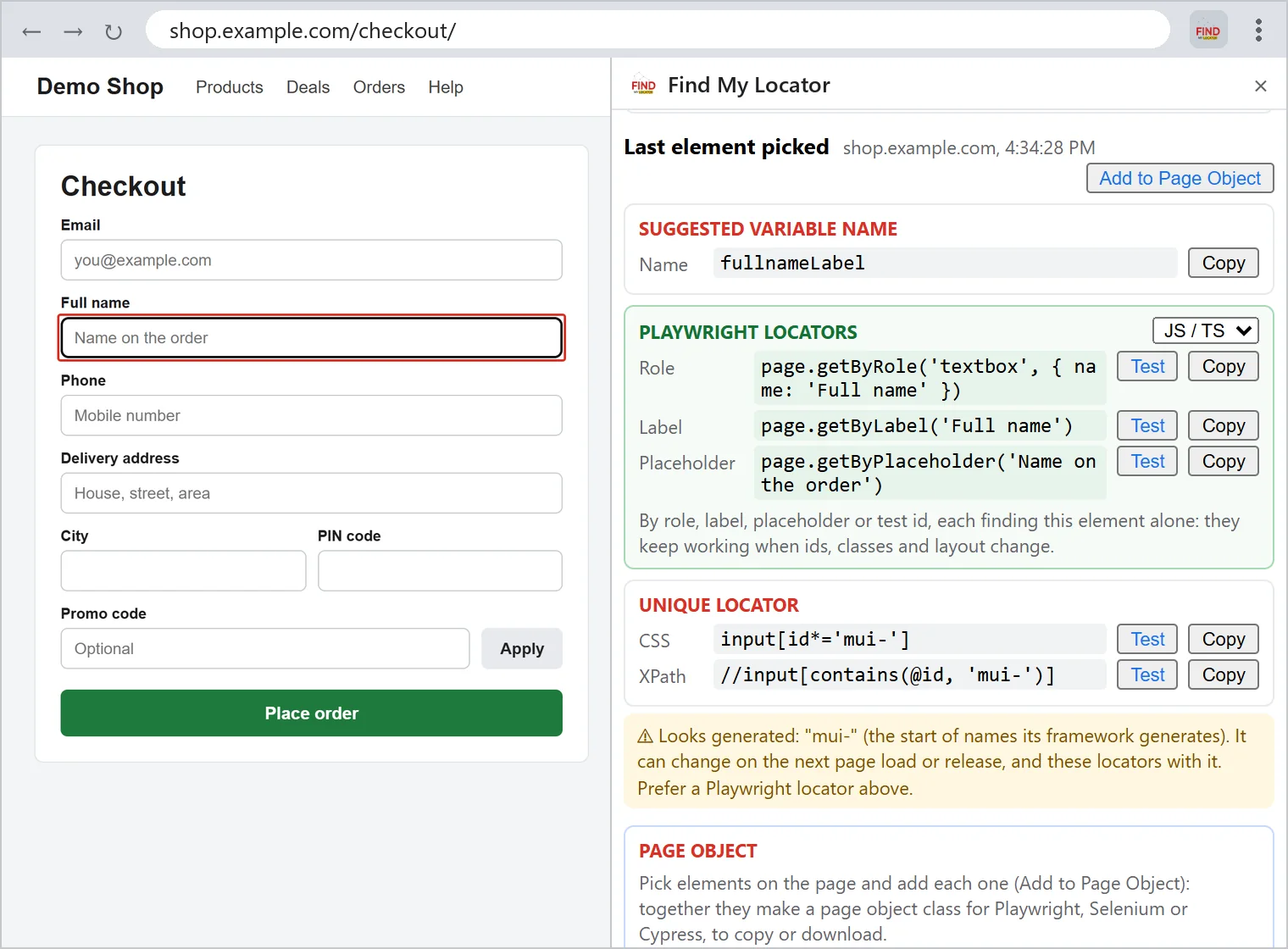
Locator tab
mui-17, are flagged, because they can change on the next page load or release.Locator tab
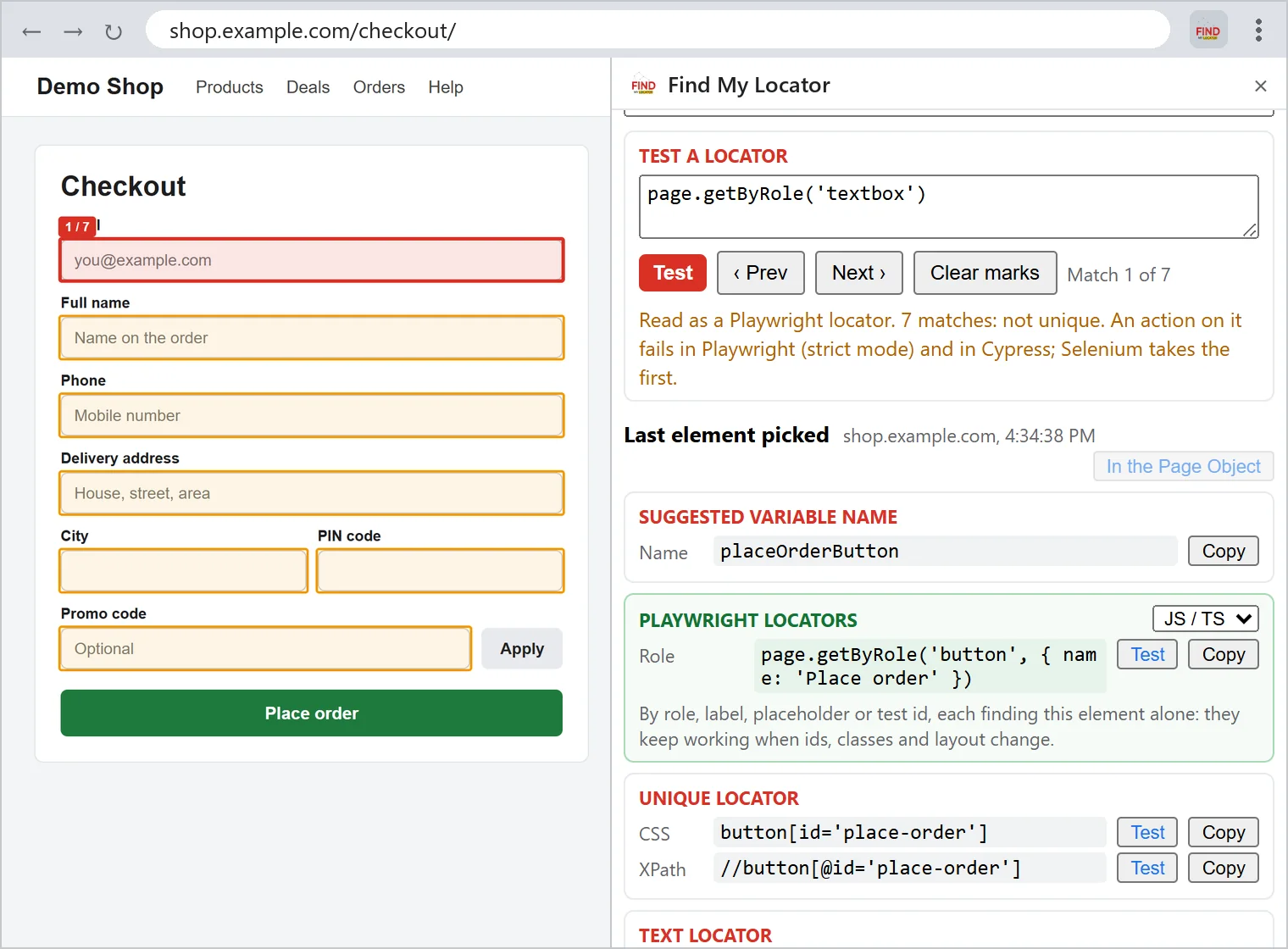
Locator tab
placeOrderButton.Recording tab
Test cases tab
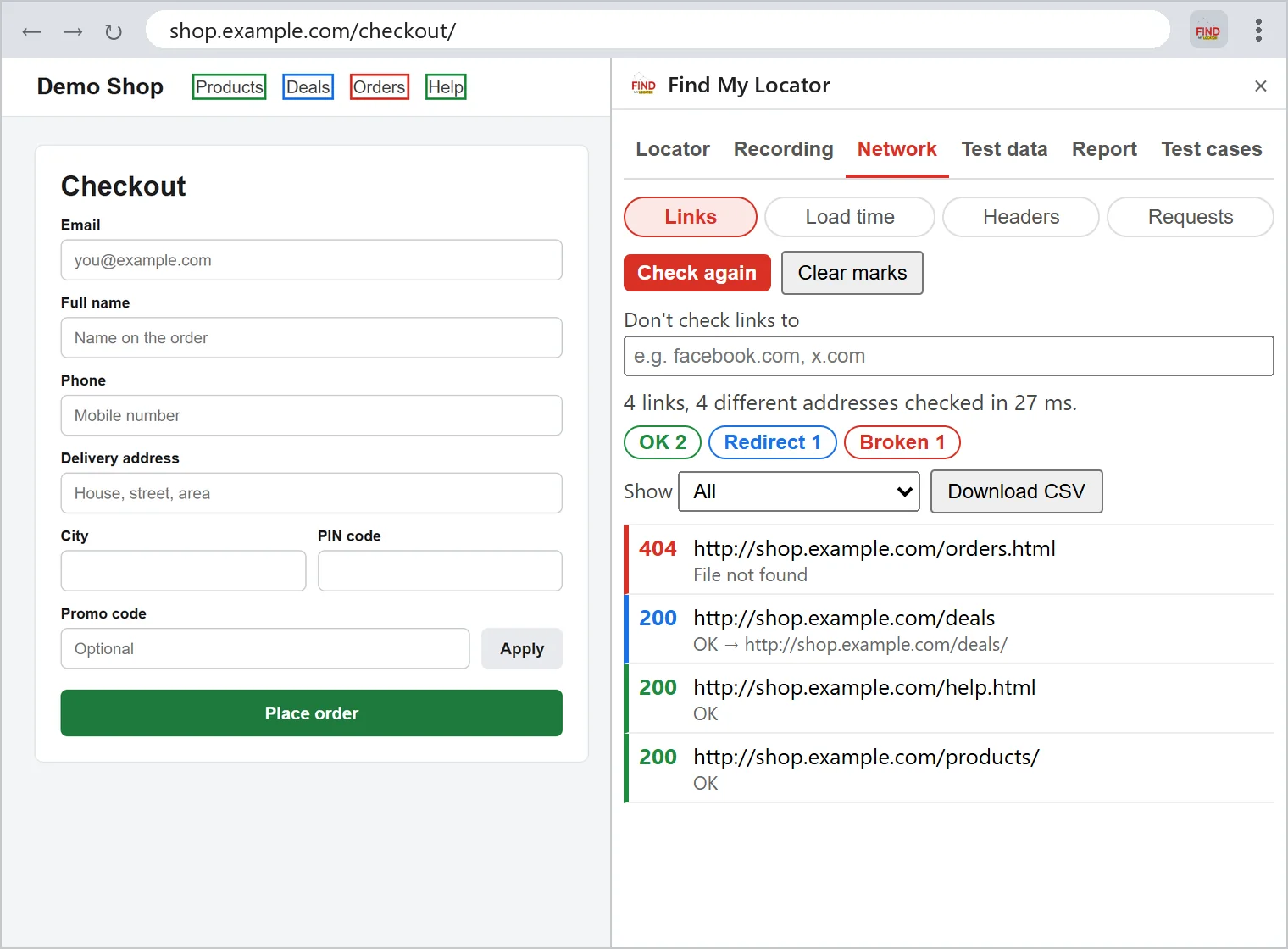
Network tab
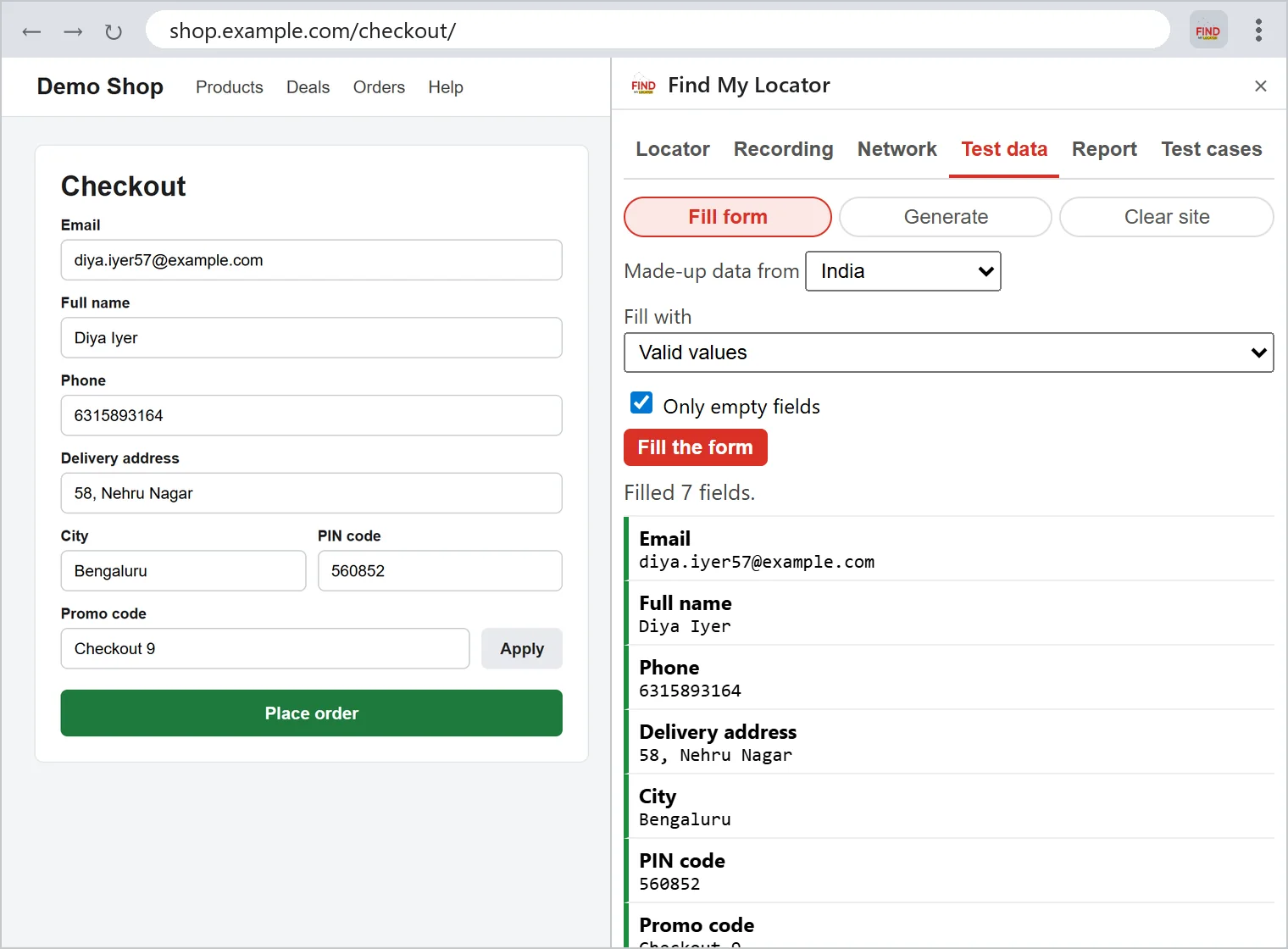
Test data tab
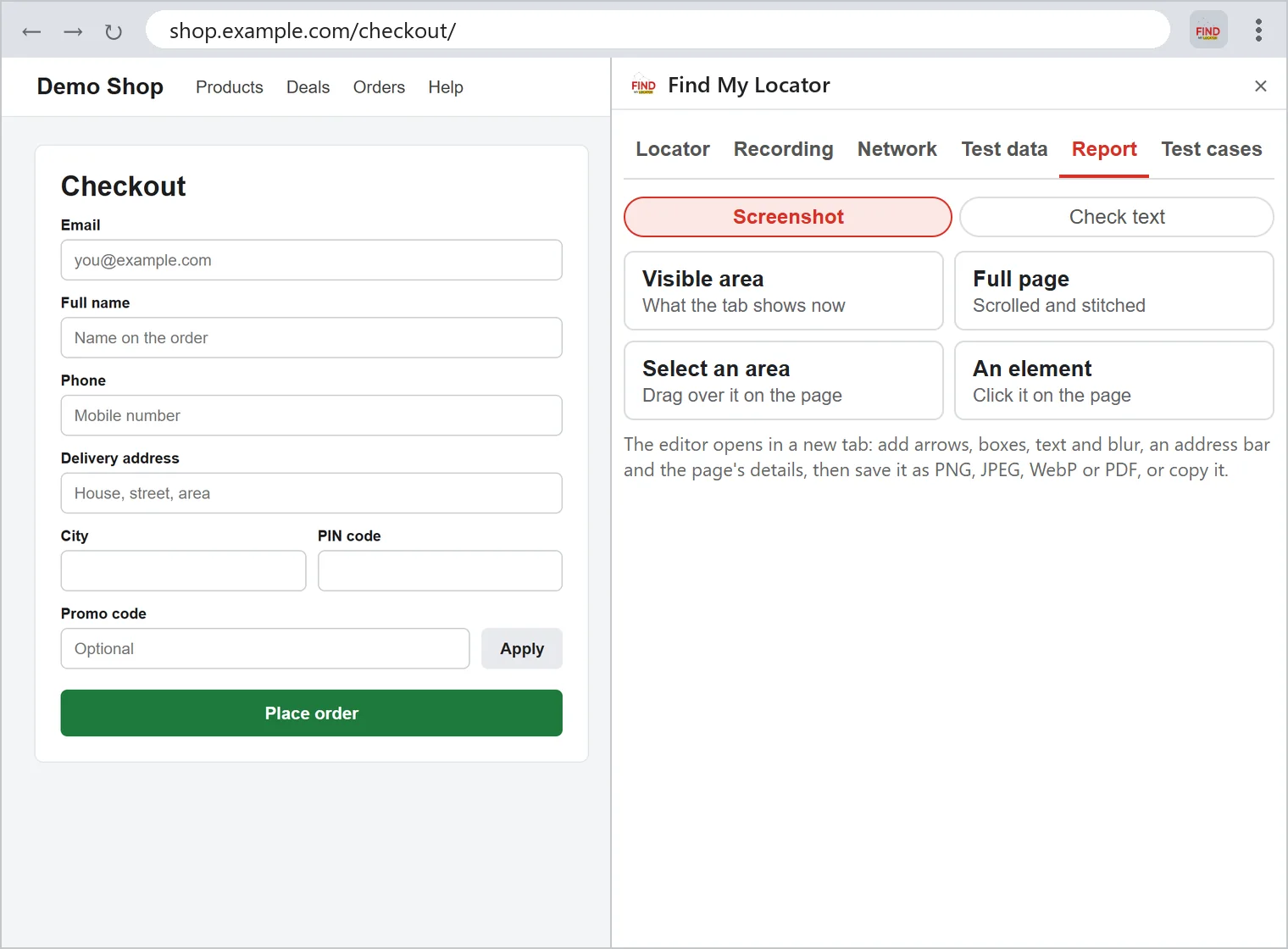
Report tab
FindMyLocator has no tracking built in. Nothing from your pages leaves the browser until you ask it to check links, send a request, write test cases or open a recording in QAEverest.
Password, OTP, CVV, card number and API key fields are recorded empty, and secret-looking parts of an address are hidden.
A recording is kept for the browser session only and is gone when Chrome closes, unless you export it.
The Test cases tab sends only the text in its box, which you can read and edit first, and only when you press Generate.
Your QAEverest API key is kept in this browser and goes only to QAEverest. Forget the key removes it.
From install to your first locator takes about a minute.
Add FindMyLocator from the Chrome Web Store and pin it to the toolbar.
Pages that were already open need a reload before the extension can work on them.
Open the popup or the side panel and switch the Locator tab ON.
Click any element on the page, then Test or Copy its locators.
Record what you do, then export it as code or open it in QAEverest.
Add your QAEverest API key to have test cases written from the page.
Recordings export to all four. Page objects export to Playwright, Cypress and Selenium.
Works with
Need a team to build and run your test automation? Talk to DevQAExpert