Turn User Stories into Tested, Trusted Releases with QAEverest
QAEverest is the AI-powered test automation platform from DevQAExpert. It writes test cases from your stories, designs and code, runs them on web, mobile and API without scripting, and shows whether your test suite would really catch a bug.
3
Platforms: Web, Mobile & API
4
Quality Checks Beyond Functional
2
IDE Plugins: VS Code & JetBrains
Why Do QA Teams Need an AI Testing Platform Like QAEverest?
- Test cases take too long to write– A single story can need dozens of functional, negative and edge cases. QAEverest drafts them in minutes, with steps, test data and expected results.
- Scripts break when the UI changes– QAEverest matches each step to the live page as it runs, and heals the step when a button moves or is renamed.
- Coverage stops at functional testing– Accessibility, security and performance checks run from the same place, against the same application.
- A green build is not proof– QAEverest measures whether your suite would actually catch a bug, not just whether it passed.
Bring What You Already Have
QAEverest starts from the material your team already writes, so nobody starts from a blank page:
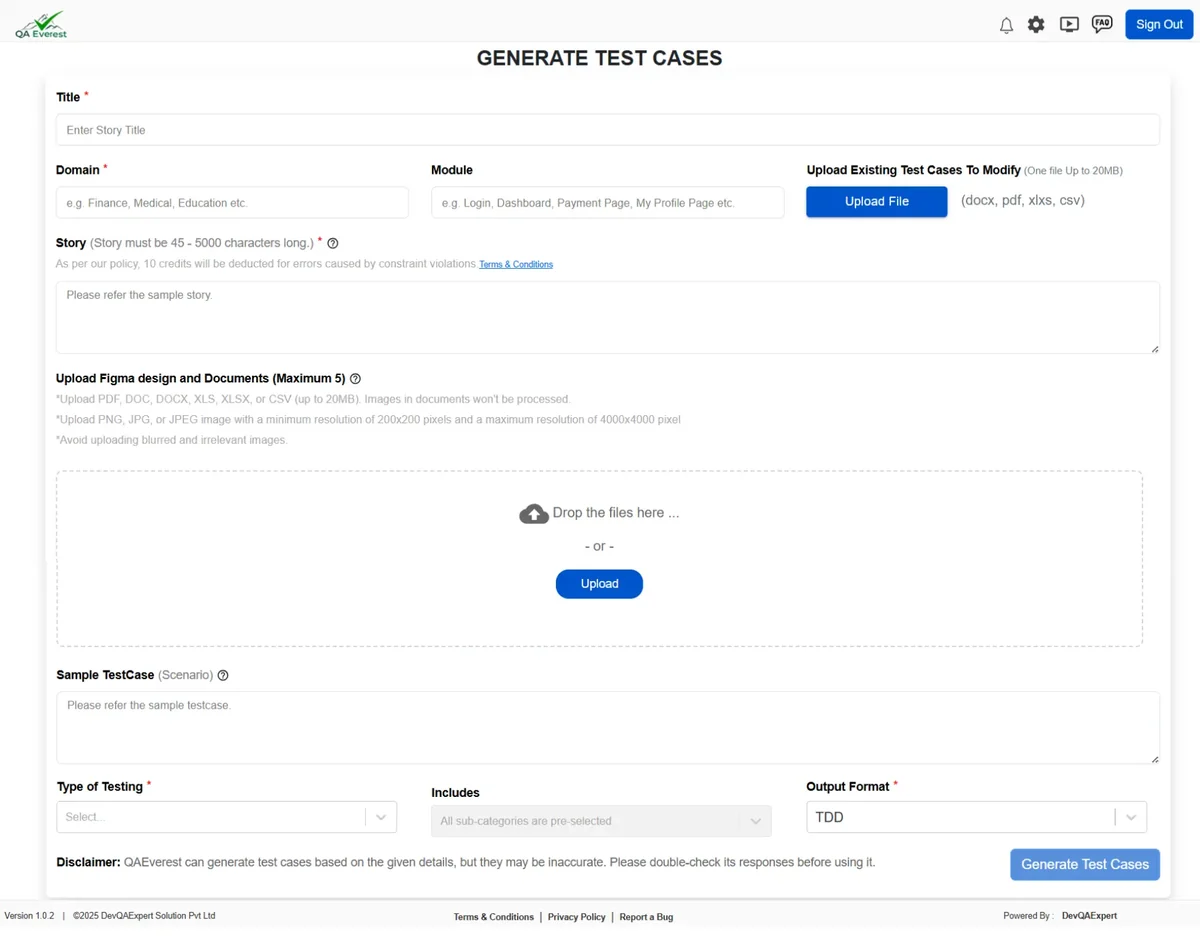
- User stories and requirements– Paste a story, or import a Jira issue or Confluence page.
- Documents and screenshots– Upload a PDF, Word file, text file or screenshot as the source.
- Figma designs– Paste a Figma link to draft a story and test cases before the feature is coded.
- Existing automation– Import a GitHub, GitLab or Bitbucket repository of Playwright, Cypress, Selenium, pytest, JUnit or Cucumber tests.
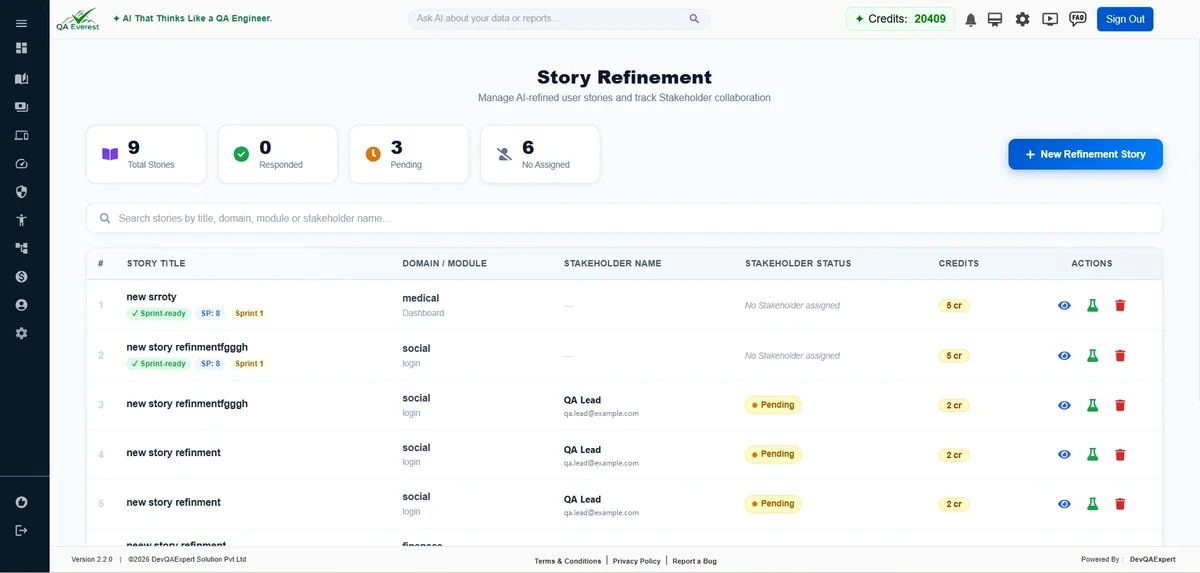
- Story refinement– Turn a rough story into a structured one with acceptance criteria before you generate.
Test Cases Written the Way Your Team Works
Choose the type of testing and the format, and QAEverest writes complete test cases you can review, edit, organise and run.
Every Test Angle
Functional, negative and edge cases generated from a single user story, with steps, test data and expected results.
Traditional or Gherkin
Choose plain step-by-step test cases or BDD Given / When / Then scenarios, whichever suits your team.
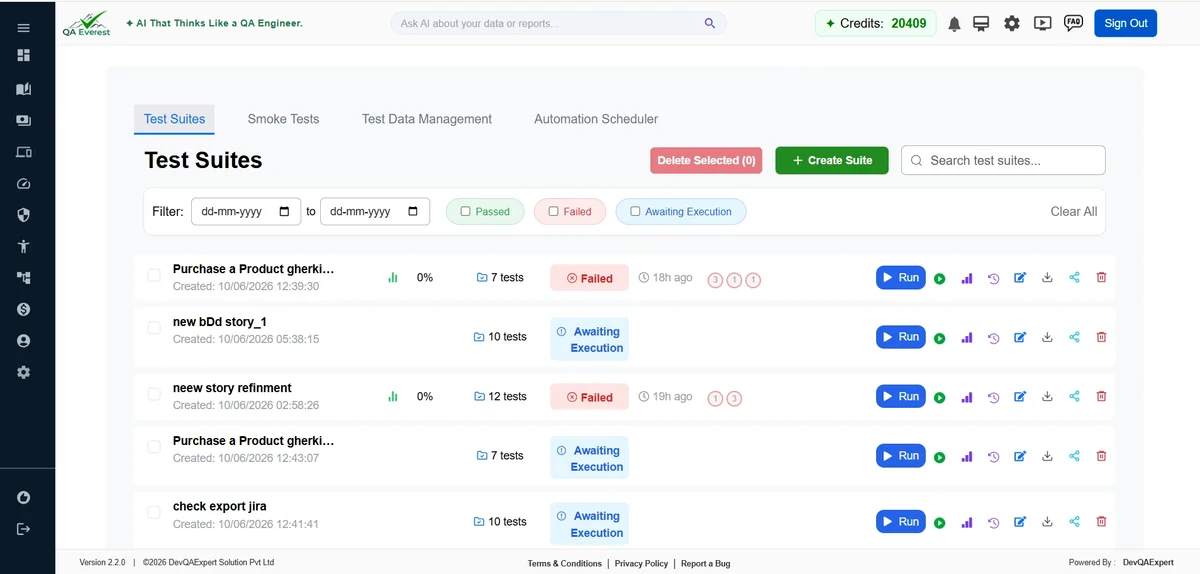
Organised in Suites
Nested folders and suites, plus login steps written once per suite and run before every test case.
Smoke & Sanity Sets
Build a smaller run-first set from picked test cases or tags without touching the full regression suite.
Test Every Layer of Your Application
One platform covers the functional and non-functional checks your releases need, so your team stops switching between tools to answer one question: is this build ready to ship?

Web UI Automation
Run test cases in a real browser with no code. Steps adapt when the page layout changes.
(Learn More)
Mobile App Automation
Run the same test cases on Android and iOS apps through Appium, including real devices.
(Learn More)
API Automation
Build API suites with chained requests and expected status codes, reported with your UI results.
(Learn More)

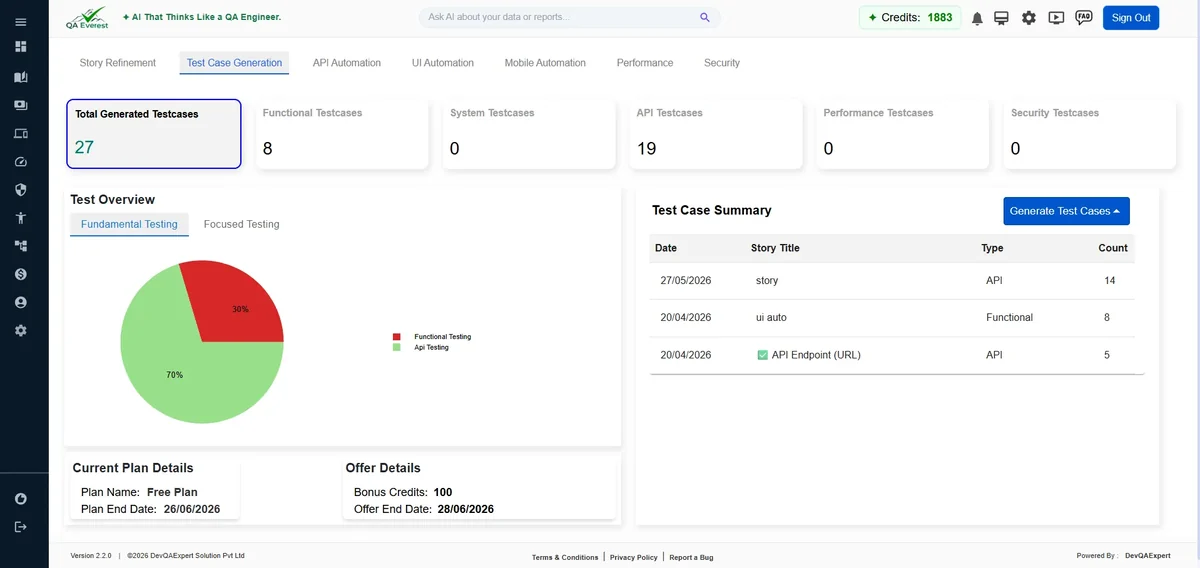
Test Case Generation
Paste a user story and get complete test cases in minutes.
(Learn More)
Tests from Figma
Paste a Figma link and generate UI tests from the design.
(Learn More)
Security Testing
A fast first-pass scan of a URL, with findings ranked by severity.
(Learn More)
Accessibility Testing
WCAG checks including the 2.2 criteria and AAA, each finding labelled by level.
(Learn More)
Run Your Tests on Web, Mobile and API
Once your test cases are ready, QAEverest runs them for you:
- No-code execution– Each test case runs as written, against the environment and browser you choose.
- Self-healing steps– When a control moves or is renamed, the run heals, continues and records what changed.
- Performance testing– Load, stress, spike and soak tests against a URL.
- AI agent and chatbot testing– Test an LLM-powered agent for correctness, safety and resistance to prompt injection.
- Code export– Export web runs as Playwright, Selenium or Cypress code, available on request.
Know Whether Your Green Build Can Be Trusted
Trust Scorecard
One page showing how stable your suite is, how often it had to heal and how much it really covers.
Suite Sensitivity
QAEverest plants known faults in a web run and shows exactly which ones your suite let through.
Execution Observations
JavaScript errors, failed server calls and slow steps that nobody asserted on, flagged for review.
Traceability Matrix
Every requirement mapped to the test cases that cover it, with uncovered requirements listed.
How QAEverest Works
QAEverest follows the same path as your release, from requirement to sign-off:
Step 1- Import or paste your user story
Step 2- Generate and review test cases
Step 3- Organise them into suites and test sets
Step 4- Run them on web, mobile or API
Step 5- Review reports, healed steps and observations
Step 6- Check suite trust before you release
Why Should You Choose QAEverest by DevQAExpert?
- Built by testers– QAEverest is built by DevQAExpert, a software testing company delivering QA services since 2011.
- One platform for the whole cycle– Story intake, test generation, execution and reporting in one place.
- Works where your team works– Plugins for VS Code and JetBrains IDEs, plus the qaeverest-mcp package on npm for Cursor, Windsurf and Claude Code.
- Your tests stay portable– Code export to Playwright, Selenium or Cypress is available on request.
- Expert help when you need it– Our QA engineers can set QAEverest up on your product, then build and maintain your suites.
Integrations & Supported Platforms
Want to See QAEverest Working on Your Application?
Let’s talk